
Lock Screen widget
Your next shift without unlocking your phone.
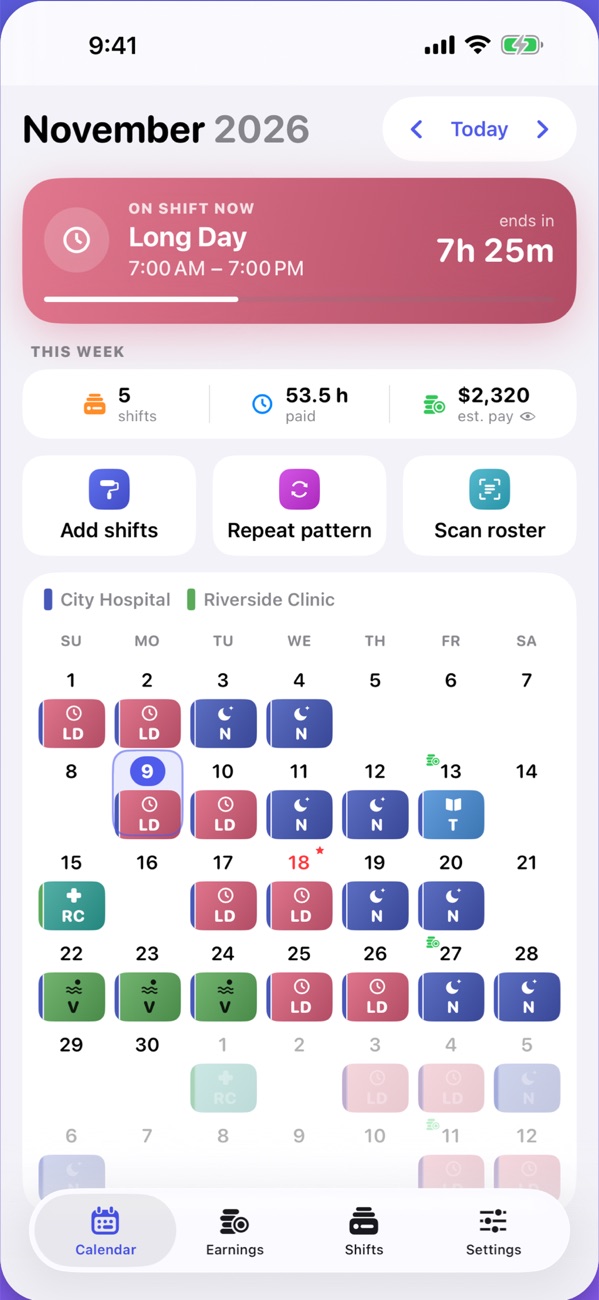
Shiftloop keeps your whole rotating schedule on one calendar and works out what each shift pays, with overtime, nights, weekends and holidays counted.
Download free on theApp StoreTap any day to change it. Sample pay at $30 an hour; the app uses your own rate and adds overtime and extra pay.
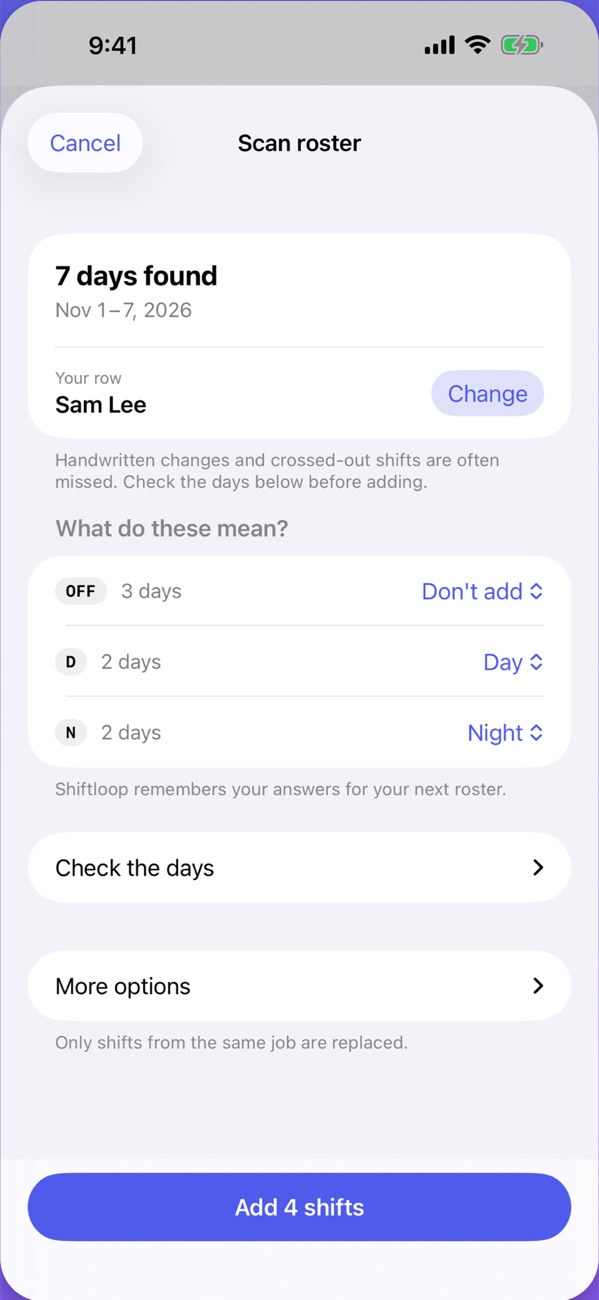
7 days found. You check them before anything is added.
Take a photo, or pick a screenshot or PDF. Nothing is uploaded. Your first 3 scans are free.
Daily and weekly overtime, public holidays, and extra pay for nights and weekends, using the rules you set.
Your next shift is also on the Lock Screen widget, with a live countdown in the app.
Made for
Getting started
Pick whichever suits your roster. Most people are set up in about a minute.
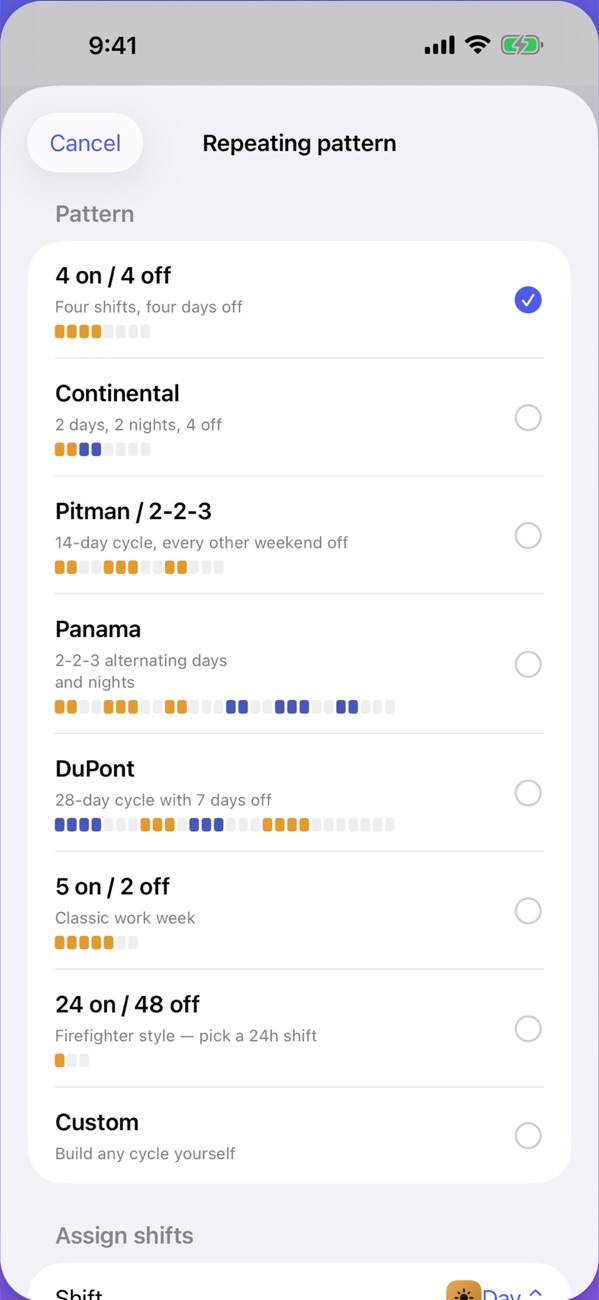
Choose 4-on-4-off, Continental, Pitman, Panama, DuPont, 5-on-2-off or 24-on-48-off, or build your own cycle. Set it once and it runs as far ahead as you need.
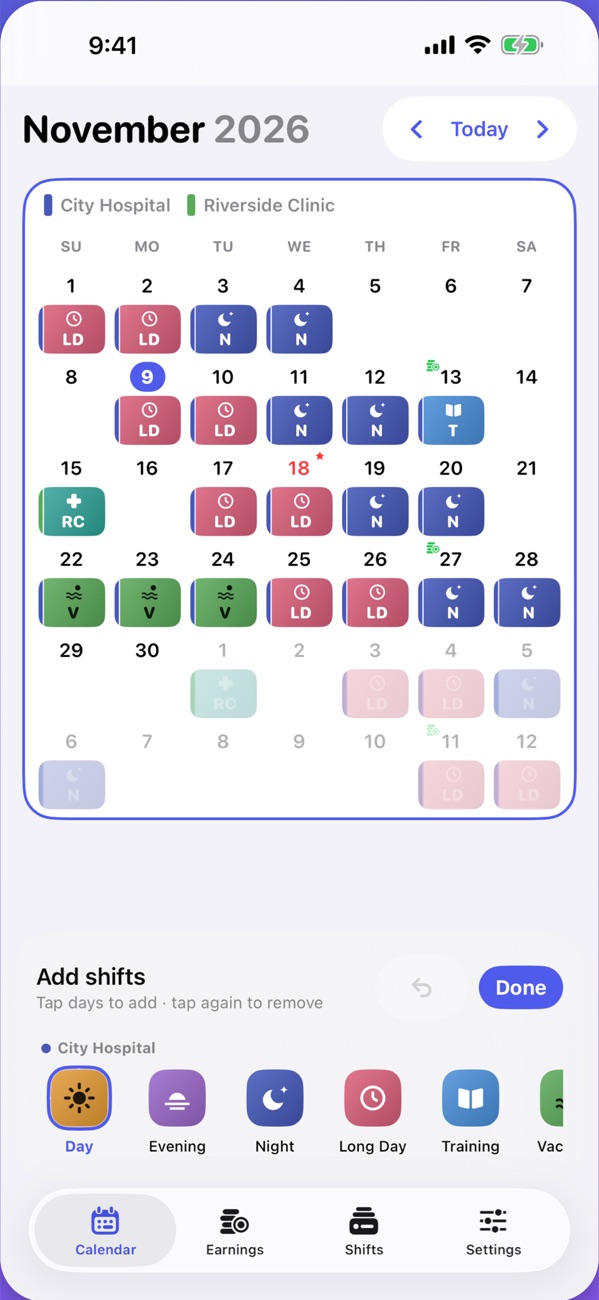
No fixed pattern? Pick a shift, then tap each day it falls on. Tap again to take it off.
Take a photo, or choose a screenshot or PDF. Shiftloop reads the dates and codes on your iPhone, nothing is uploaded, and you check the days before anything is added.
Your first 3 scans are free.
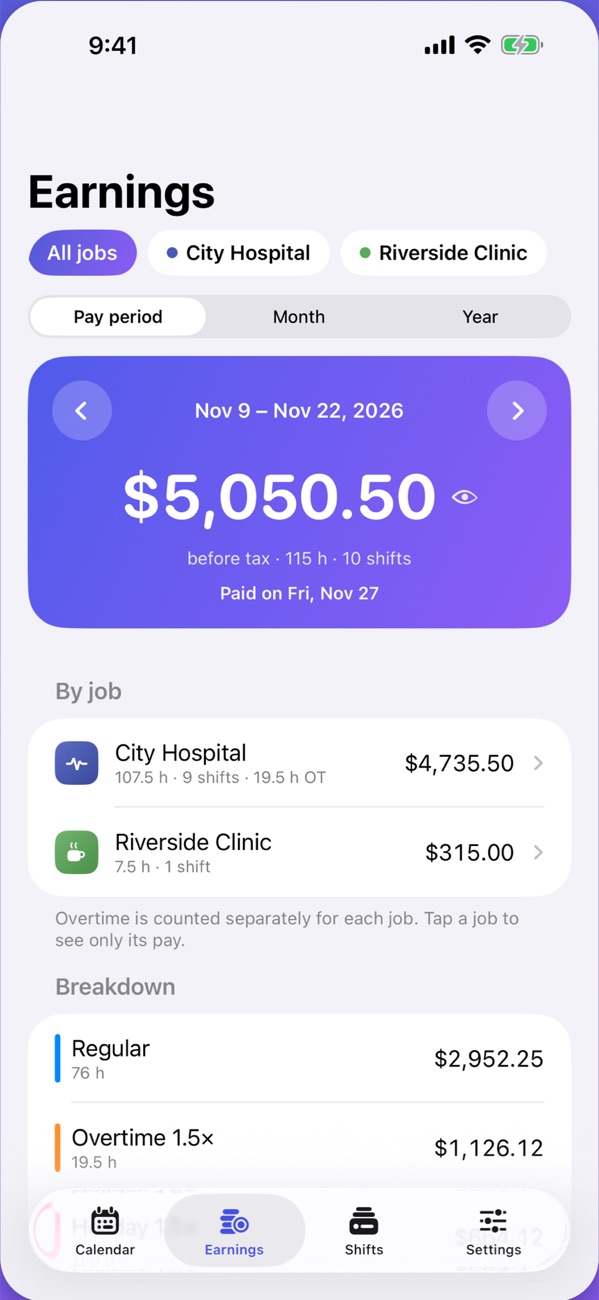
Shift pay and overtime tracker
Shiftloop adds up every shift as you work it, so a short payment doesn't slip past you.
Sample numbers. You set your own rate and rules.
Rotating shift schedules
See any of them as a calendar you can start on your own date, with hours and a quick pay estimate.
Four shifts, then four days off. 42 hours a week on average.
See the 4 on 4 off calendar →Two weeks of 12-hour shifts, every other weekend off. 42 hours a week on average.
See the Pitman calendar →A 2-2-3 rotation that swaps days and nights. 42 hours a week on average.
See the Panama calendar →A 28-day rotation with seven days off in a row. 42 hours a week on average.
See the DuPont calendar →2 days, 2 nights, then 4 days off. 42 hours a week on average.
See the Continental calendar →One 24-hour shift, then two days off. 56 hours a week on average.
See the 24 on 48 off calendar →Day to day
The parts you'll use between one shift and the next.
A nudge before each shift, at the time you choose and with a sound you'll recognise.
Release a shift to your team and a coworker can take it. Free, and still no account.
Your next shift without unlocking your phone.
Home Screen widgets, the Live Activity, and your schedule on your wrist.
Each job has its own colour, shift types and pay, on one calendar.
Your calendar on your family's phones, always current.
Syncs through your own iCloud. Shifts can also show in Apple's Calendar app.
Big, clear text and controls that follow your iPhone's text size.
Who it's for
A nurse shift calendar with long days, nights and clinic days in their own colours, and extra pay for nights and weekends counted. Scan the ward roster instead of typing it in.
Pitman, Panama, DuPont and 24-on-48-off are built in, so a firefighter shift calendar or a police rotation fills the whole year in one go.
Rotating shifts or a week that changes every time: repeat a cycle or tap shifts onto the days. Overtime is worked out by the day and by the week.
Privacy
Open the app and start. There's nothing to sign up for and no password to remember.
No advertising and no analytics. Roster photos are read on your iPhone and never uploaded.
Shifts and pay stay on your devices and in your private iCloud. If you join a team to swap shifts, your pay is never shared.
The details are in the privacy policy.
Pricing
The shift calendar is free with no time limit. Pro is there when you need more.
No time limit
Everything in Free, plus:
Prices as shown on the App Store in the United States. Tax may be added at checkout in some countries. Subscriptions renew automatically until cancelled, and you can cancel any time in your Apple Account settings.
Help
The common ones are here. For anything else, write to us.
Problems, questions or ideas? Email us and we'll get back to you. The app has its own help too, in Settings → Help.
hello@shiftloopapp.comYes. The calendar, repeating patterns, reminders, shift swaps and pay tracking for one job are free with no time limit. Shiftloop Pro adds multiple jobs, unlimited roster scans, widgets and Apple Watch, live sharing and pay history.
Not yet. Shiftloop is for iPhone, iPad and Apple Watch, on iOS 18 or later.
Anyone on shifts who wants their schedule and pay in one place: nurses, paramedics, firefighters, police, care workers, factory, warehouse and hospitality staff. It handles rotating patterns, several jobs, and overtime.
Yes. Take a photo of the printed roster, or pick a screenshot or PDF, and Shiftloop reads the dates and shift codes on your iPhone and adds your shifts. Nothing is uploaded. How roster scanning works.
Yes: daily and weekly overtime with your own multipliers, plus night, weekend and holiday premiums, totalled for each pay period. How overtime works on 12-hour shifts.
NurseGrid is a nurse network with a calendar; Supershift is a long-standing private shift calendar. Shiftloop focuses on pay (pay periods, payday, overtime, holiday pay) and on reading rosters from photos. See Shiftloop vs NurseGrid and Shiftloop vs Supershift.
Open Settings → Get Shiftloop Pro and tap Restore Purchases. Use the same Apple Account you bought Pro with.
Subscriptions are handled by Apple. On your iPhone, open the Settings app → your name → Subscriptions → Shiftloop Pro. Cancel at least 24 hours before it renews.
Check you're signed in to the same Apple Account on both devices, and that iCloud is on for Shiftloop in the Settings app → your name → iCloud.
In Shiftloop, open Settings → Erase all data. The privacy policy explains how to remove the copy in iCloud and any team data.
Free on the App Store for iPhone, iPad and Apple Watch. iOS 18 or later.
Download free on theApp Store